
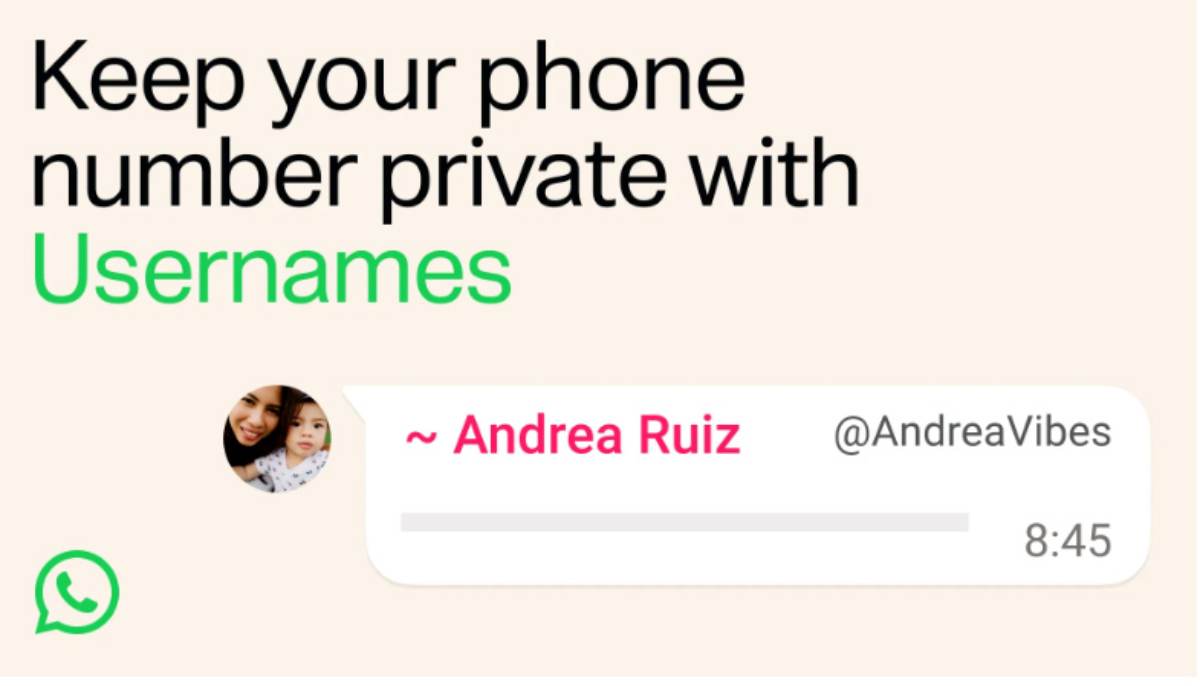
It’s time to reserve your WhatsApp username: WhatsApp is finally introducing one of its most requested features- usernames. Instead of sharing your phone number with everyone, you’ll soon be able to connect using a unique WhatsApp username. WhatsApp on Monday officially announced the start of global reservations of usernames without revealing their phone numbers with an aim to protect the privacy of more than three billion users on the messaging platform. CEO Kunal Shah has announced that usernames are coming to the messaging platform and is encouraging users to reserve their preferred names before the feature rolls out more widely later this year.
In this article, we’ll explain everything you need to know about WhatsApp usernames, how they work, their benefits, and how to reserve yours.
It’s time to reserve your WhatsApp username
Ever since WhatsApp became part of our daily lives, starting a conversation has almost always meant sharing your phone number. While that has worked for years, it has also meant giving away a personal piece of information every time you wanted to chat with someone new. Now, that is finally changing. The optional feature usernames is designed to help users connect with someone on the service through usernames, as opposed to directly sharing their phone numbers. Username reservations will start rolling out starting today, enabling users to create and reserve a username before the feature becomes generally available later this year.
What Is a WhatsApp Username?
A WhatsApp username is a unique identifier that allows people to find and message you without knowing your phone number. Instead of sharing your mobile number, you’ll simply share a username like:
- @pankajthakurs
- @johnsmith
- @rahul_tech
- @travelwithme
- @officialalex
- @tejaadmi
Whatsapp Username Announcement
The announcement comes as WhatsApp begins rolling out username reservations globally from June 29, ahead of the feature’s wider release later this year. Users will receive a notification inside the app when the option becomes available in their region.
Also read:- What is ghee called in English?
How to Reserve Your WhatsApp Username
How to Reserve Your WhatsApp Username: Reserving your optional WhatsApp Username takes just a few seconds on the latest version of WhatsApp. Once the feature becomes available for your account, follow these steps: – Go to Settings > Open Account > Click on Username > Write your Username > Click on Save.
Why You Should Reserve It Early
Popular usernames are likely to be claimed quickly. If your name or brand is important, reserving it early can help you:
- Protect your identity
- Prevent impersonation
- Maintain brand consistency
- Make it easier for people to find you
- its-time-to-reserve-your-whatsapp-username
Is the Feature Available Right Now?
Yes WhatsApp is gradually rolling out username support. If you don’t see the option yet:
- Update WhatsApp to the latest version.
- Keep checking for new updates and notifications.
- Wait until the feature reaches your account.
Frequently Asked Questions (FAQs)
Q- Can I change my WhatsApp username later?
Ans- Yes, WhatsApp is expected to allow users to change their username, although availability and frequency may have certain limits.
Q- Is a WhatsApp username free?
Ans- Yes. Creating and reserving a username is expected to be free.
Q- Will my phone number be hidden?
Ans- In many situations, yes. Your username can be shared instead of your phone number, improving privacy.
Q- Can two people have the same username?
Ans- No. Every WhatsApp username must be unique.
Q- Can businesses use usernames?
Ans- Yes. Businesses, creators, and professionals can benefit from using memorable usernames.
Final Thoughts
Usernames are coming to whatsapp: The introduction of WhatsApp usernames is one of the platform’s biggest privacy upgrades in recent years. It allows users to connect without exposing their phone numbers, making conversations safer and more convenient.
If the feature is available for your account, reserve your preferred username as soon as possible—especially if it’s your personal name or business brand. Popular usernames are likely to be claimed quickly.